LOCAL ROUTER TRANSLATION

Your Tenda router.
Your language.

Tenda Translate turns compatible Tenda router pages into clear, familiar language — directly in Chrome and entirely on your device.

See how it works
Offline by design No account required For local router pages
Chrome extension
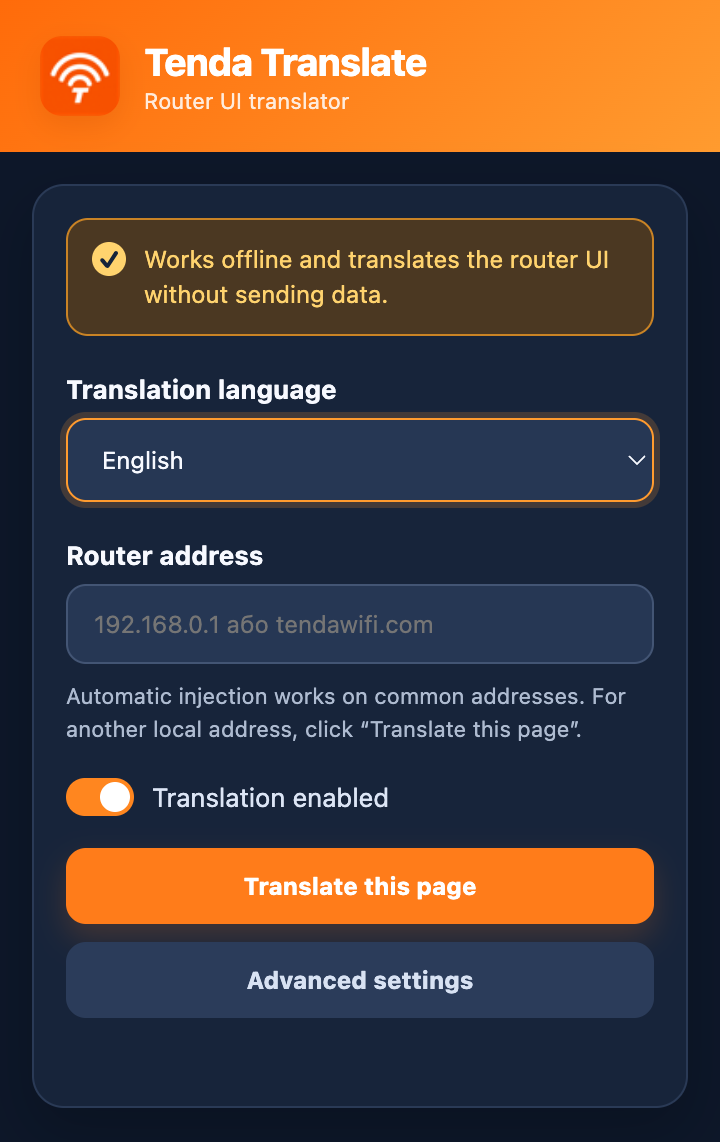
Tenda Translate extension popup with translation controls

ONE SIMPLE PURPOSE

Understand what your router is saying.

Tenda Translate is a focused Chrome extension for compatible Tenda interfaces. Select a language, open your router page, and translate the labels and guidance you need to configure with confidence.

01

Works locally

Translation happens inside your browser. Router page text is not sent to a remote translation service.

02

Choose your language

Set your preferred translation language from the clean extension popup whenever you need it.

03

Made for your network

Designed around common local Tenda router addresses, with a manual option for another local address.

A CLEARER ROUTER EXPERIENCE

Everything stays where it belongs.

The router interface remains familiar. Tenda Translate adds a lightweight control panel in Chrome, so the controls you already use become easier to read.

FROM ROUTER PAGE TO CLARITY

Three quiet steps.

  1. 1

    Open your router page

    Visit your compatible Tenda router interface in Chrome.

  2. 2

    Choose a language

    Open Tenda Translate and select the language that works for you.

  3. 3

    Translate this page

    Press the button and continue configuring with clear, local translation.

PRIVACY, BY DEFAULT

Your router data stays with you.

Translation is local. Tenda Translate does not transmit router credentials, page text, IP addresses, MAC addresses, browsing history, or analytics to a remote service.